
We help e-shops grow
With the Zaslat and Shoptet integration, you can ship more parcels, with more carriers, to more countries – without wasting time on manual shipping orders. Everything runs simply, automatically, from one place.




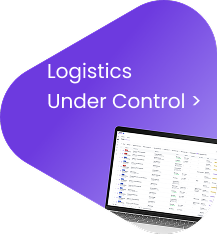
No need to deal with contracts or integrations with each carrier separately – with the Shipment Manager, you have all carriers in one place.
Connecting Zaslat with Shoptet is simple even without technical knowledge – setup takes only a few minutes.

Orders from Shoptet are automatically transferred to the Shipment Manager and are immediately ready for dispatch.
Easily manage all shipments in the Shipment Manager – from labels and tracking to an overview of cash-on-delivery payments.
You can set up the integration within a few minutes. Just activate the Zaslat add-on in the Shoptet administration, obtain an API key, and connect your e-shop with the Shipment Manager. The whole process is simple and requires no technical knowledge. Check out the video tutorial.
Not exactly. The integration is primarily intended for e-shops and companies that ship goods to customers. However, you only need to have an account in the Shipment Manager, which anyone can create. Registration is free and takes just a few clicks.
Yes. With the integration, you can use over 22,000 pickup points and lockers from carriers such as Zásilkovna, Balíkovna, PPL, and others.
The integration gives you access to more than 10 verified carriers who deliver your parcels across the Czech Republic, Slovakia, the EU, and the rest of the world including customs zones. You can use, for example, DPD, GLS, Zásilkovna, FedEx, and more.
Yes. The shipping price you offer to your customers in your e-shop is entirely up to you. Zaslat will charge you according to our price list, but the final pricing policy in your e-shop is fully under your control.
Yes. The integration of Shipment Manager with Shoptet is completely free. You only pay for the actual shipping according to the carriers’ price list or your individual tariff.
Yes. Once connected, orders from your e-shop will automatically appear in the Shipment Manager. You don’t need to retype or upload anything; everything is handled in just a few clicks.